AI Video From Photo: Turn Any Image Into a Stunning Video (2026 Guide)
The complete guide to image-to-video AI — which models to use, how to write motion prompts, and how to get cinematic results from a single photo.

One of the most powerful — and underused — features of modern AI video generators is image-to-video: the ability to take a single still photograph and transform it into a living, moving video clip. In 2026, this technology has matured to the point where the results are genuinely breathtaking. A product photo becomes a cinematic ad. A portrait becomes a short film. A landscape becomes a living painting.
This guide covers everything you need to know: how image-to-video AI works, which models excel at it, how to write prompts that guide the motion effectively, and how to use VIBE to get professional-quality results from any photo on your phone.
How AI Video From Photo Actually Works
Image-to-video AI doesn't simply "play" your photo like a slideshow. It uses deep neural networks trained on billions of video frames to predict plausible motion for every element in the image. The model essentially asks: "If this frozen moment were a real scene, how would it move next?"
Hair catches the breeze. Water ripples outward. Flames lick upward. A human's chest rises and falls. Eyes blink. Clouds drift. The AI infers all of this from spatial relationships, object recognition, and motion priors learned during training. According to Google DeepMind's research on Veo, modern video models now incorporate physics-aware conditioning that makes environmental motion dramatically more convincing.
The result is video that doesn't look "generated from a photo" — it looks like a scene that was filmed. The best models, like Kling 3, are achieving near-photorealistic human motion from a single portrait photo — something that was essentially impossible just 18 months ago.
Which AI Model Is Best for Image-to-Video?
Not all AI video models handle image-to-video equally. Here's a breakdown based on real-world testing across all models available in VIBE:
Kling 3 — Best for Human Subjects
If your photo contains a person, Kling 3 is the clear winner. Its motion model was specifically optimized for human anatomy — the way bodies shift weight, hair flows, and facial muscles subtly move. A portrait photo run through Kling 3 will produce a result that looks like a real filmed moment: blinking eyes, breathing chest, micro-expressions. Fashion photographers, influencers, and UGC ad creators rely on this daily.
Sora 2 — Best for Photorealistic Environments
For landscape, architectural, and product photography, Sora 2's physics engine produces the most convincing environmental motion. Water moves with real fluid dynamics. Foliage responds to invisible wind. Smoke and steam behave with accurate density simulation. OpenAI's Sora was designed from the ground up to understand how the physical world moves, making it unmatched for scene-based photo animation.
Veo 3.1 Fast — Best for Speed and Volume
When you need to process many images quickly — animating a product catalog, bulk-creating social content from a shoot — Veo 3.1 is dramatically faster than Sora or Kling. It generates in roughly 4–6 seconds versus 18–25 for Sora 2. The motion quality is slightly lower for close-up human subjects, but for anything else, the speed advantage is transformational for high-volume workflows.
All three models are available in VIBE with a single tap, along with Seedance 2.5, WAN 3.0, and Happy Horse 1.1 for 4K video up to 30 seconds with audio. Compare outputs and pick the best result without switching apps.
Step-by-Step: Creating AI Video From a Photo in VIBE
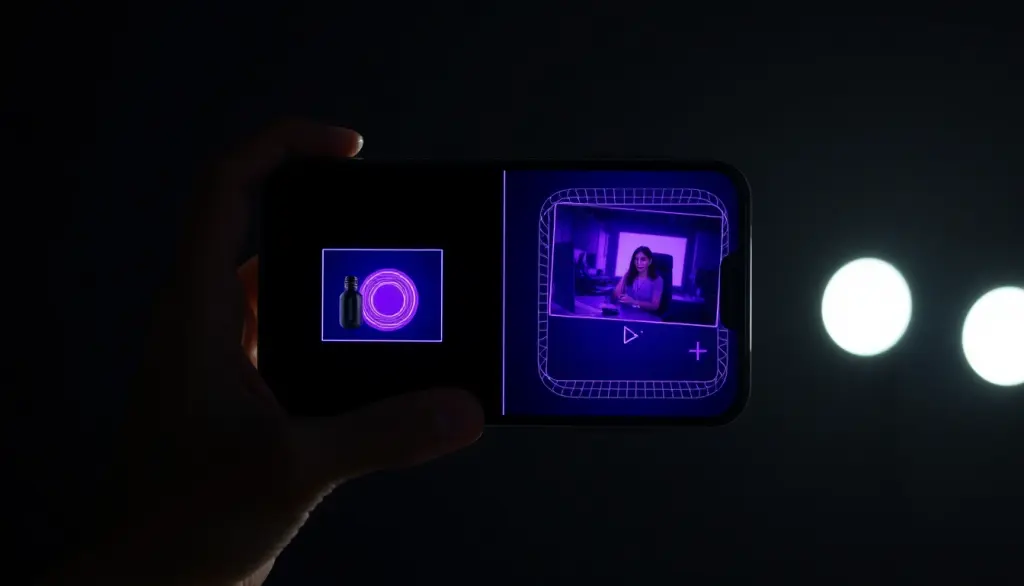
- Open VIBE and select "Image to Video" from the main creation screen. Tap the image input to upload from your camera roll or take a new photo directly.
- Choose your model. Portrait with a person → Kling 3. Landscape or product shot → Sora 2. Batch processing → Veo 3.1.
- Write a motion prompt — the most important step, covered in detail below.
- Set clip length. For TikTok and Reels: 5–8 seconds. For YouTube Shorts: 10–15 seconds.
- Generate. VIBE processes your image and returns a video clip in under 30 seconds.
- Review and iterate. Adjust the prompt or switch models and regenerate in seconds. Generating 3 variations per concept is standard practice among professional creators.
Writing Motion Prompts: The Most Important Skill
The biggest mistake people make with image-to-video is providing no prompt at all, or writing something generic like "animate this." Your motion prompt is where you direct the AI — it's the difference between a lifeless wobble and a cinematic moment.
Think of it as directing the physics of the scene. You're not describing what the image looks like (the AI can see that already). You're describing what moves and how it moves.
Proven Motion Prompt Templates
Portrait photo: "Hair gently blowing in a soft breeze, subtle blinking, slight smile forming, shallow depth of field bokeh shifting, slow cinematic push-in"
Ocean landscape: "Waves rolling slowly toward shore, sea spray catching golden light, distant sailboat slightly swaying, clouds drifting right, seagulls crossing frame"
Luxury product (perfume): "Bottle rotating slowly, light refracting through glass casting rainbow prisms, fabric softly undulating behind, dramatic atmospheric haze, luxury cinematic quality"
Food photography: "Steam rising gently from surface, sauce slowly bubbling at edges, sesame seeds micro-animating, soft ambient kitchen light flickering, mouth-watering food photography"
Notice the pattern: specific physical elements, specific types of motion, specific camera behavior. The more precisely you describe the motion, the more control you have over the output.
Where AI Video From Photo Delivers the Biggest ROI
E-Commerce and Product Marketing
Brands using AI image-to-video for product marketing report significantly higher click-through rates versus static imagery. A rotating beauty product catching light, an animated watch showing dial movement, a jacket sleeve rippling in wind — these micro-animations create scroll-stopping visual interest. With VIBE, you can animate an entire product catalog in an afternoon.
Social Media at Scale
For creators managing TikTok, Instagram Reels, and YouTube Shorts simultaneously, image-to-video dramatically expands content output. You can take 20 existing photos and generate 20 unique video clips in under an hour. Read our guide on going viral on TikTok with AI video to combine this technique with a full distribution strategy.
Real Estate and Architecture
Static architectural photos are table stakes. AI-animated walk-throughs — light shifting as if time passes, plants subtly growing, curtains in invisible breeze — are becoming a key differentiator for premium listings. The same photo can generate dozens of different "moods" in minutes.
Portrait and Event Photography
Wedding photographers and studio professionals are offering "living portrait" packages: delivering a 10-second animated version of the best shot alongside standard prints. This is a premium upsell with zero additional shoot time, powered entirely by AI image-to-video. PetaPixel has covered this trend as one of the biggest new revenue streams for professional photographers.
Pro Tips for Maximum Quality
- Use high-resolution source photos (1080p minimum). The AI has more detail to work with and generates sharper motion.
- Avoid heavily filtered or edited photos. AI models perform best when they can recognize real-world objects. Over-processed images confuse the model's physics understanding.
- Match model to subject: Kling 3 for people. Sora 2 for environments and products. This single decision has the biggest impact on output quality.
- Focus your motion prompt on 2–3 elements. Describing 10 things moving simultaneously often produces chaotic results. Precision beats comprehensiveness.
- Use VIBE's crop feature before generating to center your primary subject. The AI treats center-frame elements as primary animation targets.
- Generate 3 variations per prompt. One will almost always be significantly better than the others. With VIBE's generation speed, 3 variations take under 2 minutes.
The Bottom Line
Image-to-video AI is one of the highest-leverage creative skills available in 2026. A single good photo, run through the right model with a precise motion prompt, can become a social media post, a product ad, a client deliverable, or a premium photography upsell — in under 30 seconds.
VIBE AI Video Generator app for iOS and Android can generate 4K videos up to 30 seconds with Seedance 2.5, WAN 3.0 and more. VIBE also includes Happy Horse 1.1, Kling 3, Sora 2, and Veo 3.1 for image-to-video with native audio. Whether you're working with one portrait or an entire product library, your photo archive is a goldmine of untapped video content.
Turn Your Photos Into Cinematic AI Video
VIBE AI Video Generator includes Happy Horse 1.1, WAN 3.0, and Seedance 2.5 for image-to-video — 4K clips up to 30 seconds with audio, on iOS and Android.


Found this helpful? Share it with your audience.
Share on X (Twitter)

